Ask people what makes an office uncomfortable and most will mention the chairs. Few will mention the lighting — yet harsh, flickering, or poorly placed light causes more daily misery than almost any furniture choice. Eye strain, headaches, afternoon fatigue, and that drained feeling at 5 p.m. often trace back to light, not workload. And lighting does not work in isolation: where you place desks, screens, and seating relative to windows and fixtures determines whether the light helps or hurts. This guide covers how to get office lighting and furniture placement working together.

Understanding Office Light
Good office lighting has three layers:
- Ambient light: The general illumination of the space — ceiling fixtures, usually. It should be even and glare-free, bright enough to navigate safely but not so bright it washes out screens.
- Task light: Focused light where detailed work happens — desk lamps for paperwork, reading, and writing. This is the layer most offices under-provide.
- Accent and natural light: Daylight from windows, plus any feature lighting that gives the space character. Daylight is the best light for alertness and mood, but it needs managing.
Two technical terms worth knowing: colour temperature (measured in Kelvin — lower is warmer/yellower, higher is cooler/bluer) and CRI (colour rendering index — how accurately colours appear). For general office work, 3500–4000K with a CRI above 80 is the standard recommendation: neutral enough for focus without the cold, clinical feel of 5000K+ daylight bulbs.
Common Lighting Problems (and Fixes)
Glare on screens
The number one complaint. Overhead fixtures reflecting in monitors, or windows behind screens, force eyes to work overtime. Fix it with indirect or shielded fixtures, monitor hoods or repositioning, and blinds on windows. Matte screen protectors help as a last resort.
Too bright / too dim
Over-lit offices feel harsh and cause squinting; under-lit ones cause drowsiness and eye strain as pupils work harder. Target roughly 300–500 lux at desk level for computer work, higher (500–750) for detailed paper tasks. A cheap lux meter app gives a rough reading — most offices are surprised in one direction or the other.
Flicker
Old fluorescent tubes flicker at frequencies that cause headaches and eye fatigue even when the flicker is not consciously visible. If your office still runs fluorescents, upgrading to LED panels is one of the highest-impact improvements you can make — better light, lower energy bills, no flicker, no buzz.
Harsh contrast
A bright screen in a dark room, or a sunlit window beside a dim interior wall, forces eyes to constantly adapt. Keep the brightness of the screen, the immediate surroundings, and the broader room within a reasonable range of each other.
Furniture Placement Relative to Light
This is where lighting meets layout:
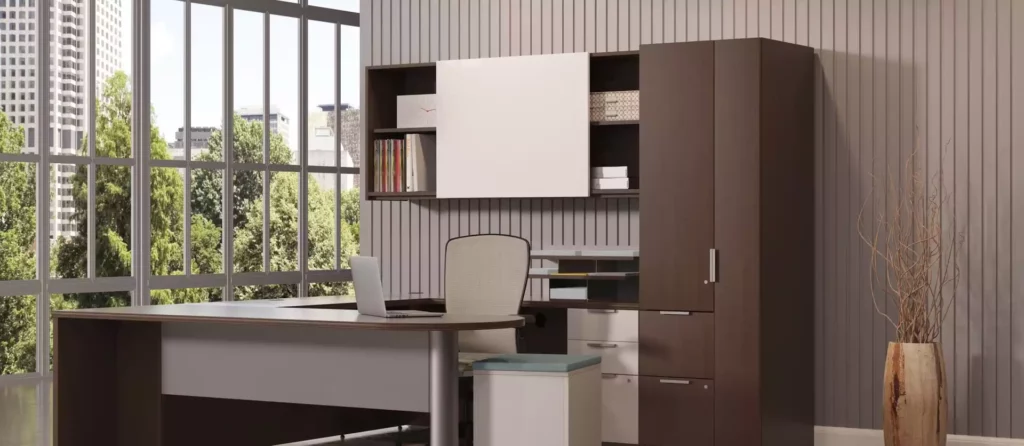
- Desks perpendicular to windows: The golden rule. Screens facing windows get direct glare; users facing windows get screens that look washed out. Perpendicular placement gives the benefits of daylight with neither problem.
- Do not put screens with their backs to windows: The bright background makes the screen look dim by comparison, and the user’s silhouette blocks light for colleagues behind them.
- Task lighting for paper work: Anyone who reads documents, writes by hand, or does detailed work needs a task light — overheads alone create shadows from the worker’s own body and head.
- Meeting tables: Centre lighting over the table, not the room. Pendant fixtures over a boardroom table at the right height (typically 30–36 inches above the surface) light faces and documents without glare.
- Reception and lounge: Warmer, lower light (2700–3000K) signals welcome and relaxation — deliberately different from the work floor.
- Hallways and file rooms: Often forgotten. Motion-sensor LEDs keep these spaces safe without wasting energy lighting empty corridors all day.
Daylight: Vancouver’s Seasonal Challenge
The Lower Mainland gets glorious summer daylight and then months of grey. Plan for both:
- Summer: Low-angle morning and evening sun blasts through east and west windows. Solar shades or blinds that filter without blacking out preserve the view while killing glare. Light-coloured interior finishes bounce daylight deeper into the floor plate.
- Winter: With sunrise after 8 a.m. and sunset before 4:30 p.m. at the darkest point, offices run on artificial light almost entirely. This is when quality matters most — full-spectrum-feeling 4000K LEDs, adequate brightness, and task lights everywhere. Some offices add daylight-mimicking panels in windowless areas; staff consistently report better mood.
- Year-round: Keep windows clean (surprisingly impactful), avoid tall storage blocking window walls, and use glass-fronted meeting rooms to let daylight penetrate interior zones.
Lighting Controls Worth Having
- Zoning: Separate controls for different areas — open plan, meeting rooms, breakout — so empty zones are not lit all day.
- Dimming: Dimmable LEDs let you tune light to the task and the season. Presentation mode in the boardroom, brighter light for detailed work.
- Occupancy and daylight sensors: Lights that turn off in empty rooms and dim near bright windows cut energy waste automatically. They typically pay for themselves within a couple of years.
- Individual task lights: Give people control over their own immediate light. Personal control over lighting is consistently linked to higher satisfaction — it costs little and means a lot.
Frequently Asked Questions
What colour temperature is best for offices?
3500–4000K for general work areas — neutral white that supports focus without feeling cold. Use 2700–3000K (warm) in lounges, breakout areas, and reception to create contrast and comfort.
How do I stop glare on my monitor?
Position the desk perpendicular to windows, use blinds to control direct sun, choose shielded or indirect overhead fixtures, and match screen brightness to the room. If glare persists, a monitor arm lets you angle the screen away from the worst reflections in seconds.
Are LED panels worth the upgrade from fluorescent?
Yes — no flicker, no buzz, better colour rendering, roughly half the energy use, and far longer life. In a typical Vancouver office, the energy savings alone usually pay back the upgrade within two to three years.
Should desks face the window for the view?
It is tempting, but facing the window usually means the screen faces away from it — workable — while facing away from the window puts glare-prone screens toward the glass. The practical compromise most designers recommend: desks perpendicular to windows, so workers get side daylight and a view with a glance, without the glare penalties.
Lighting and furniture placement are a system — get them working together and the whole office feels better, with less eye strain, fewer headaches, and more consistent energy through the day. If you are planning an office layout or refresh in Metro Vancouver and want the furniture placement designed around proper lighting, contact M&E Business Furnishings at 604-200-7961 or info@meimport.com, or visit mefurn.com.
M&E Business Furnishings | info@meimport.com | 604-200-7961 | mefurn.com