Growing Pains Start at the Desk
There is a moment every expanding Vancouver company hits: new hires are starting, but there is nowhere to put them. Desks get squeezed into corners, meeting rooms become makeshift offices, and productivity quietly leaks away. Choosing the right office workstations is not just a furniture purchase. It is a growth strategy that determines how smoothly your team can scale over the next three to five years.
Start With Headcount: Present and Future
Count your current team, then add your realistic hiring plan for the next two to three years. Most growing companies underestimate. A good target is to plan workstation capacity for about 20 to 30 percent more people than you have today. Buying a system that can add positions later is far cheaper than replacing everything when you outgrow it.
Benching, Cubicles, or Private Offices?
Each layout serves a different kind of work. Be honest about how your team actually spends its days.
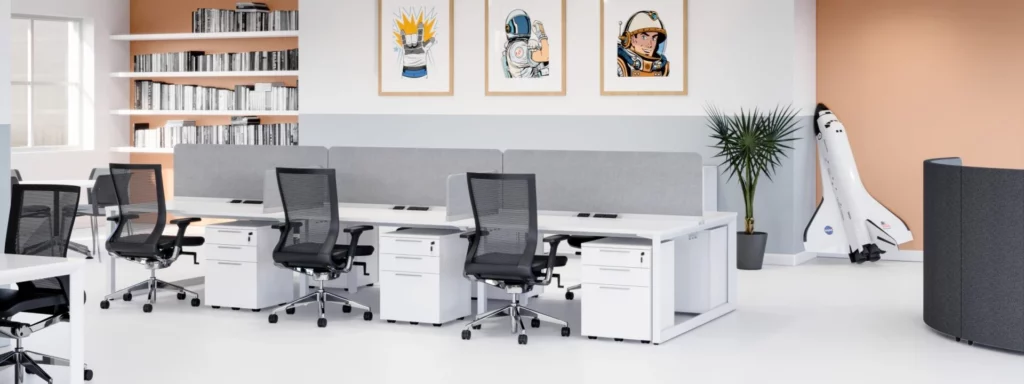
- Benching systems pack the most people into the least space and encourage collaboration. They suit creative teams, tech companies, and sales floors.
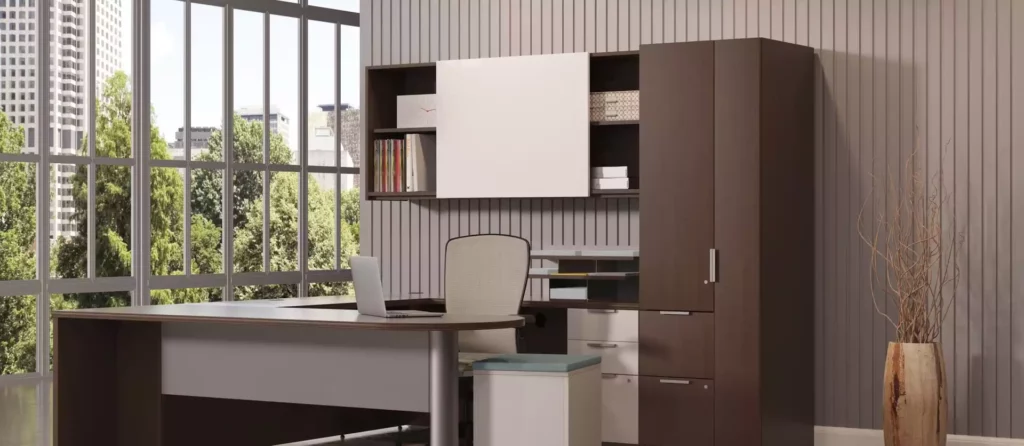
- Cubicles with acoustic panels give focused workers the privacy they need while keeping density reasonable. They suit finance, support, and administrative teams.
- Private offices suit executives and roles handling sensitive conversations, but they consume the most square footage per person.
Many growing Vancouver offices land on a hybrid: benching for collaborative teams, a few cubicles for focused work, and enclosed rooms for managers.
Measure Twice: Space Per Person
Commercial workstations typically need 40 to 60 square feet per person once you include circulation space, and tighter than that starts to feel cramped fast. Measure your floor plate carefully, mark columns, windows, and exits, and lay out workstations on a scaled plan before ordering anything. A workstation that fits the catalogue but not your columns is an expensive mistake.
Power and Data: The Hidden Deal-Breaker
This is where workstation projects most often go wrong. Every position needs power for monitors, laptops, and phones, plus data drops or rock-solid Wi-Fi. Map your electrical and data points against the workstation layout early.
- Choose systems with integrated cable management so wires route neatly through beams and trays instead of dangling.
- Confirm power capacity with your electrician before adding twenty sit-stand desks to one circuit.
- Plan for monitor arms, which free up desk surface and improve ergonomics at the same time.
Don’t Skimp on Ergonomics
Your team will spend thousands of hours at these workstations. Height-adjustable desks let people alternate between sitting and standing, which reduces fatigue and back complaints. Pair them with quality ergonomic task chairs from proven commercial brands like Nightingale, HON, or Groupe Lacasse, and make sure monitor arms, keyboard trays, and footrests are part of the conversation, not afterthoughts. Ergonomic workstations cut absenteeism and workers’ compensation claims, which matters to any growing company’s bottom line.
Choose Modular Systems That Grow
The defining feature of a workstation built for growth is modularity. Look for benching and panel systems where you can add positions, extend runs, reconfigure from straight rows to pods, and swap components without replacing the whole system. Standardized parts across your office mean a new hire’s workstation is a quick addition, not a custom project.
New vs. Refurbished: Stretching the Budget
Growing teams often need more workstations than the budget comfortably covers. Quality refurbished workstations from reputable dealers deliver commercial-grade frames, fresh worksurfaces, and new components at a fraction of new prices. For a company adding ten or twenty positions, the savings can fund the ergonomic chairs or the new boardroom. Inspect refurbished systems in person and ask about warranties before committing.
Plan Delivery and Installation
Workstations are not flat-pack furniture. Professional delivery and installation ensures level assembly, correct cable routing, and safe anchoring of panels and storage. Schedule installation before your new hires’ start dates, and confirm freight elevator bookings and building access with property management well in advance, especially in downtown towers.
Test Before You Commit
Catalogue photos never tell the whole story. Visit a local showroom, sit in the chairs, raise and lower the desks, and open and close the storage. Bring your facilities lead and one or two future users. The workstations your team will live with for years deserve an hour of hands-on evaluation, and local dealers can usually mock up your exact configuration so you see precisely what you are buying.
Plan for Hybrid Work
Hybrid schedules change workstation math. If half your team is remote on any given day, you may not need one desk per person. Many growing Vancouver companies now use shared benching with a simple booking system, which can cut workstation counts by 20 to 30 percent while giving in-office staff more elbow room on busy days. If you go this route, invest in personal storage — lockers or mobile pedestals — so hot-desking employees still have a home base for their belongings. Also think about acoustic comfort: fewer people in the office means every phone call echoes further, so panels, soft flooring, and a couple of phone booths pay off quickly.
A Budgeting Rule of Thumb
Workstation budgets surprise first-time buyers because the desk is only part of the cost. A realistic rule of thumb: budget roughly the same amount again on top of the workstation price for chairs, monitor arms, power and data, delivery, installation, and any building permits. So a $1,200 workstation position really costs about $2,400 all-in. Refurbished systems are the best lever for pulling that number down — quality pre-owned workstations often deliver the same commercial-grade frames at 40 to 60 percent less than new, freeing budget for the ergonomic chairs and technology that staff actually notice. Always get an installed, all-in quote before comparing options, never a catalogue price.
M&E Business Furnishings | info@meimport.com | 604-200-7961 | mefurn.com